
Written for Muse on Monday where David asks us
to write a story about a blue collar worker.
Here’s where the prompt took me.
Tag: Difficult
THE PINGBACK SYNDROME

How many of you know what a pingback is and how to create one? Let’s see a show of hands.
Wow! Looks like quite a few of you are in on the pingback secret … except for me.
Now, I am not a stupid woman and I’ve learned a lot about computers since I started my site in 2017. I’ve also wiggled my way out of some tough jams and solved problems the Happiness Engineers at WordPress were unable to do. Hell, I even found the solution to an issue that an Apple technician couldn’t help me with. I also taught myself to record and upload some of my stories for a prominent UK radio station – something I’m very proud of. I can figure out most things on my computer or learn something by seeing it done once or twice but this ornery pingback mosquito keeps evading me.
Some of my fellow septuagenarian friends on WordPress who still split logs and milk cows know how to create a pingback. I cannot. What’s the secret? And while we’re on the subject, what purpose does a pingback serve? Why is everyone pingbacking all over the damn place?
So, to recap, the questions on the table are 1) what is a pingback; 2) how is a pingback created; 3) what purpose does a pingback serve?
Just for fun, let’s see how the dictionary defines pingback: “an automatic notification sent when a link has been created to a person’s blog post from an external website, allowing a reciprocal link to that website to be created”.
Hmm. Ok, what does Google say about pingbacks on WordPress? “A pingback is a notification WordPress sends to other blog owners when linking to their content. It will appear in a comment and only bloggers who activate the pingback feature will receive the notification”.
Confused yet? Me too. Try this on for size:
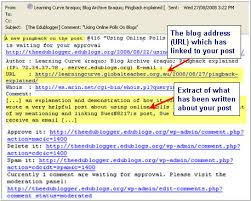
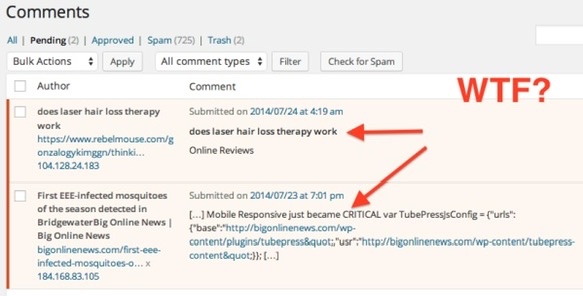
What??
When I told one of my friends I thought I didn’t do a pingback correctly, he asked me if I remembered to “lock it in”. No, of course I didn’t! I wasn’t even sure what I was supposed to “lock in”. Another friend explained creating a pingback like this: “To do a pingback: Copy the URL (the https:// address of my post) and paste it onto your post.” Yet another friend posted a similar message: “To execute a pingback, just copy the URL in the address bar on this post and paste it somewhere in the body of your post.”
Now, those explanations sound pretty clear and easy and in my head I know exactly what they’re saying; however, when it comes to actually copying the URL, I can’t find it and when I think I’ve got the right URL, it turns out to be the wrong one! So far I don’t think I have successfully completed one single pingback. Pretty dismal, isn’t it?
I need someone to explain to me in easy-to-understand language how to do a pingback and show me where to find the elusive URL address I’m supposed to copy and paste. Speak to me in one syllable words if necessary. Observe the KISS Principle: Keep It Simple, Stupid. I promise you; I will not be offended.
Somebody help. I’m terribly confused!
NAR © 2022
 The Elephant's Trunk